
Selecting the best resolution for a 32 inch gaming monitor is a pivotal choice for gamers and professionals seeking the ideal balance of performance and visual fidelity. Shenzhen Jingshu Technology Co., Ltd (JS) identifies three primary resolutions for this monitor size: Full HD (1080p), Quad HD (1440p), and Ultra HD (4K). Full HD provides high frame rates and affordability but lacks sharpness on large screens. Quad HD strikes a balance, offering improved clarity and smoothness, making it a favored choice for most users. Ultra HD delivers stunning detail but demands top-tier hardware and may not be necessary for all gaming styles. Pixel density and viewing distance further influence the perceived quality, with higher resolutions allowing users to sit closer without seeing pixelation. Gaming genres also play a role—competitive gamers often prefer lower resolutions for performance, while story-driven and creative applications benefit from higher resolutions. JS’s lineup of 32 inch monitors reflects these needs, with models tailored for entry-level, balanced, and premium requirements. Ultimately, the choice depends on the user’s hardware, preferred games, and budget, with JS offering expertise and product options to help customers make informed decisions.
Choosing the optimal resolution for a 32 inch gaming monitor is essential to unlocking immersive visuals, fluid motion, and responsive gameplay. At Shenzhen Jingshu Technology Co., Ltd (JS), we understand the crucial role that display resolution plays—not just in visual fidelity, but in overall gaming satisfaction. This article dives into the intricacies of resolution options available for 32 inch monitors, examining their impact on gaming experience and how gamers can make smarter decisions based on their preferences, hardware capabilities, and game genres.

Understanding Display Resolution
What is Monitor Resolution?
Monitor resolution refers to the number of pixels that the screen can display, typically expressed in width x height (e.g., 2560 x 1440). The higher the resolution, the greater the number of pixels, resulting in sharper images and more detailed visuals. For a 32 inch monitor, the choice of resolution becomes even more critical, as the increased screen size can emphasize both the strengths and weaknesses of each resolution tier.
How Resolution Affects Gaming Performance
Resolution directly influences not only how crisp and clear your games look, but also how your hardware performs. Higher resolutions demand more processing power from the GPU, which can impact frame rates and overall smoothness. Conversely, lower resolutions may boost performance but sacrifice visual quality. JS recommends balancing resolution and hardware capability to achieve the best gaming experience.
Popular Resolution Choices for 32 Inch Gaming Monitors
Full HD (1920 x 1080)
Full HD, or 1080p, is the most widespread resolution among entry-level gaming monitors. For a 32 inch display, however, 1080p can result in lower pixel density, making images appear less sharp compared to smaller screens. While Full HD excels in performance—allowing even mid-range GPUs to deliver high frame rates—it may not fully realize the visual potential of a 32 inch panel.
Quad HD (2560 x 1440)
Quad HD, commonly known as 1440p, strikes a harmonious balance for 32 inch gaming monitors. With a pixel density that dramatically improves image clarity over 1080p, 1440p offers enhanced visuals without overwhelming most modern GPUs. JS finds that many gamers consider 1440p the sweet spot for this size, supporting both competitive and visually demanding titles.
Ultra HD / 4K (3840 x 2160)
Ultra HD, or 4K, delivers breathtaking detail and realism, pushing a 32 inch monitor to its visual limits. The increased pixel count makes every texture, shadow, and effect pop, creating a truly immersive experience. However, 4K gaming demands top-tier hardware, and may not always be necessary for fast-paced competitive games where frame rate outweighs graphical fidelity.
Comparing Resolutions: Pros and Cons
| Resolution | Pros | Cons |
|---|---|---|
| 1920 x 1080 (Full HD) | High performance, affordable, compatible with most GPUs | Low pixel density, less sharp on 32 inch monitors |
| 2560 x 1440 (Quad HD) | Great balance of clarity and performance, ideal for 32 inch screens | Requires more powerful hardware than Full HD |
| 3840 x 2160 (4K Ultra HD) | Best image quality, future-proof | High GPU requirements, expensive, may not benefit fast-paced games |
JS Insights: Pixel Density and Viewing Distance
Pixel Density Explained
Pixel density, measured in pixels per inch (PPI), determines how sharp images appear. On a 32 inch monitor, 1080p yields approximately 69 PPI, 1440p about 92 PPI, and 4K around 137 PPI. JS recommends aiming for higher PPI for tasks involving text, design, or story-driven games where detail matters.
Optimal Viewing Distance
Distance from the monitor affects perceived sharpness. For 32 inch monitors, JS suggests:
- 1080p: Sit at least 1.2 meters away
- 1440p: 0.8 – 1.0 meters away
- 4K: 0.5 – 0.7 meters away
Sitting closer to a low-resolution monitor may reveal pixelation, while 4K maintains crispness up close.
Gaming Genres and Resolution Needs
Competitive Esports
Fast-paced games like CS:GO, Overwatch, or Valorant benefit from higher frame rates. Many esports professionals favor 1080p for maximum FPS, but 1440p can provide a good compromise between performance and clarity for a 32 inch display.
Story-Driven & Open World Games
Adventure games, RPGs, and open-world titles thrive on rich visuals. For these, 1440p or 4K offers a dramatic improvement, allowing players to appreciate intricate environments crafted by developers. JS’s experience shows that gamers seeking immersion should lean toward higher resolutions.
Simulation & Creative Applications
Simulations (racing, flight, strategy) and creative tasks (video/photo editing) benefit tremendously from 4K. The clarity aids in seeing fine details, making 4K 32 inch monitors from JS a favorite among professionals and enthusiasts.
Refresh Rate and Resolution: Finding the Balance
Refresh rate, measured in Hz, indicates how many times per second the monitor updates the image. High refresh rates (120Hz, 144Hz, or more) are crucial for smooth gameplay, particularly in competitive gaming. However, achieving high refresh rates at 4K can be demanding for current GPUs. JS recommends considering both resolution and refresh rate for optimal responsiveness.
JS Recommendations: Choosing the Right Resolution
Assess Your Hardware
Before selecting a monitor resolution, evaluate your GPU and CPU capabilities. Can your setup handle 1440p or 4K at desired frame rates? JS suggests checking benchmarks for your favorite games to ensure compatibility.
Consider Your Gaming Preferences
Identify the types of games you play most often and what matters more—visual fidelity or performance. For competitive gamers, 1080p or 1440p at high refresh rates may be ideal. For single-player or visually stunning games, 1440p or 4K should be considered.
Budget and Future-Proofing
Higher resolutions generally cost more. However, investing in a 1440p or 4K monitor can extend the useful life of your setup, as games and hardware continue to evolve. JS offers a range of 32 inch monitors to suit different budgets and needs.
JS Product Showcase: 32 Inch Gaming Monitors
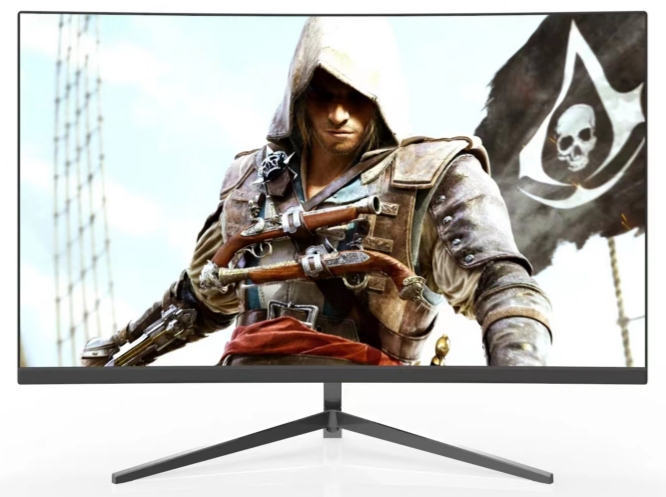
JS Full HD 32-Inch Model
Designed for entry-level gamers and those who prioritize high refresh rates, the JS Full HD model offers vibrant colors and low input lag. Ideal for competitive play, it features adaptive sync for tear-free visuals.
JS Quad HD 32-Inch Model
The JS 1440p monitor provides outstanding clarity and smooth performance. With up to 165Hz refresh rate and wide color gamut, it’s the perfect choice for balanced gaming and multimedia use.
JS Ultra HD 32-Inch Model
For the ultimate visual experience, the JS 4K monitor combines ultra-high resolution with premium features such as HDR, wide viewing angles, and exceptional build quality. It’s well-suited for both gaming and professional creative work.
Beyond Resolution: Important Features to Consider
- Panel Type: IPS for color accuracy, VA for contrast, TN for fastest response
- Adaptive Sync: G-Sync or FreeSync for smoother gameplay
- Response Time: Lower is better for fast-paced games
- Connectivity: HDMI 2.1, DisplayPort, USB-C for versatility
- Ergonomics: Adjustability and eye-care features
Real-World User Experiences
Feedback from JS customers highlights the importance of matching resolution to usage. Many report that upgrading from 1080p to 1440p on a 32 inch monitor resulted in a marked improvement in clarity and enjoyment. Professional gamers appreciate the high refresh rate options, while creative professionals praise the detail provided by 4K displays.
Future Trends in Gaming Monitor Resolution
The gaming monitor market continues to evolve, with higher resolutions, faster refresh rates, and advanced technologies like mini-LED and OLED entering the mainstream. JS remains committed to innovation, ensuring our 32 inch monitors deliver cutting-edge performance and reliability for all types of users.
Summary Table: JS 32 Inch Gaming Monitor Choices
| Model | Resolution | Refresh Rate | Best For |
|---|---|---|---|
| JS Full HD | 1920 x 1080 | 165Hz | Competitive Gaming |
| JS Quad HD | 2560 x 1440 | 165Hz | Balanced Gaming, Multimedia |
| JS Ultra HD | 3840 x 2160 | 120Hz | Immersive Gaming, Professional Use |
JS’s Commitment to Quality and Innovation
At Shenzhen Jingshu Technology Co., Ltd (JS), our dedication to research, development, and customer satisfaction drives us to create exceptional 32 inch gaming monitors. Whether you’re a competitive player, an enthusiast, or a creative professional, JS provides the tools to maximize your gaming and visual experience.
Resolution Decision Checklist
- Assess GPU/CPU performance for chosen resolution
- Consider preferred gaming genres
- Balance resolution with refresh rate
- Factor in viewing distance
- Set a budget for future-proofing
Frequently Asked Questions (FAQ)
Is 4K overkill for a 32 inch gaming monitor?
For fast-paced competitive games, 4K may be excessive due to hardware demands. However, for immersive and story-driven games, 4K provides unparalleled visual quality.
Can my current GPU handle 1440p or 4K?
Modern mid-range GPUs can manage 1440p well, while 4K often requires high-end or current-generation hardware for optimal performance.
Is 1080p sufficient for a 32 inch monitor?
While 1080p offers excellent performance, the lower pixel density may result in less sharp visuals compared to 1440p or 4K on a large screen.
Expert Advice from JS
Choosing the right resolution for your 32 inch gaming monitor is a personal decision, influenced by your hardware, preferences, and budget. JS recommends consulting our product specialists for tailored advice, ensuring you invest in a monitor that enhances every aspect of your gaming and creative pursuits.
Tags:all in one pc supplier,portable monitor,portable pc tablet supplier,computer monitor supplier