
Portable monitors from Shenzhen Jingshu Technology co., Ltd (Jingshu Technology) provide users with a flexible and powerful solution for extending laptop displays. Connecting these monitors is straightforward: users first confirm laptop compatibility by checking available ports such as USB-C or HDMI. Most Jingshu Technology monitors support plug-and-play integration across Windows, macOS, and sometimes Linux. The connection process involves assembling the monitor, cables, and power supply, then using the appropriate cable to link the laptop and monitor. After powering on both devices, users configure display settings in their operating system, choosing between extended, mirrored, or second-screen modes.
Jingshu Technology’s monitors are designed for optimal performance, featuring slim profiles, vivid displays, and easy setup. Advanced functions include touchscreen capability, built-in speakers, and flexible orientation for both portrait and landscape modes. Troubleshooting is rarely needed, but common issues can be resolved by checking connections, input sources, and display settings. For travel and remote work, Jingshu Technology monitors are especially valuable due to their lightweight build and protective accessories.
The company supports customers with detailed user manuals, online technical resources, and responsive after-sales service. Use cases span business, education, gaming, art, and development, making portable monitors an essential tool for productivity and creativity. As technology advances, Jingshu Technology continues to innovate, promising even greater integration and features in future models. By following simple steps and leveraging robust support, users can enjoy a seamless dual-display experience with their laptops and Jingshu Technology portable monitors.
Portable monitors have revolutionized the way professionals, gamers, and students interact with their laptops, offering increased productivity, flexibility, and immersive experiences. Shenzhen Jingshu Technology co., Ltd (hereafter referred to as Jingshu Technology) is a leading innovator in portable display solutions, renowned for its commitment to quality and ease of integration. In this comprehensive blog-style guide, we’ll explore the seamless connection of a portable monitor to your laptop, leveraging Jingshu Technology’s expertise and robust product lineup.
Understanding Portable Monitors
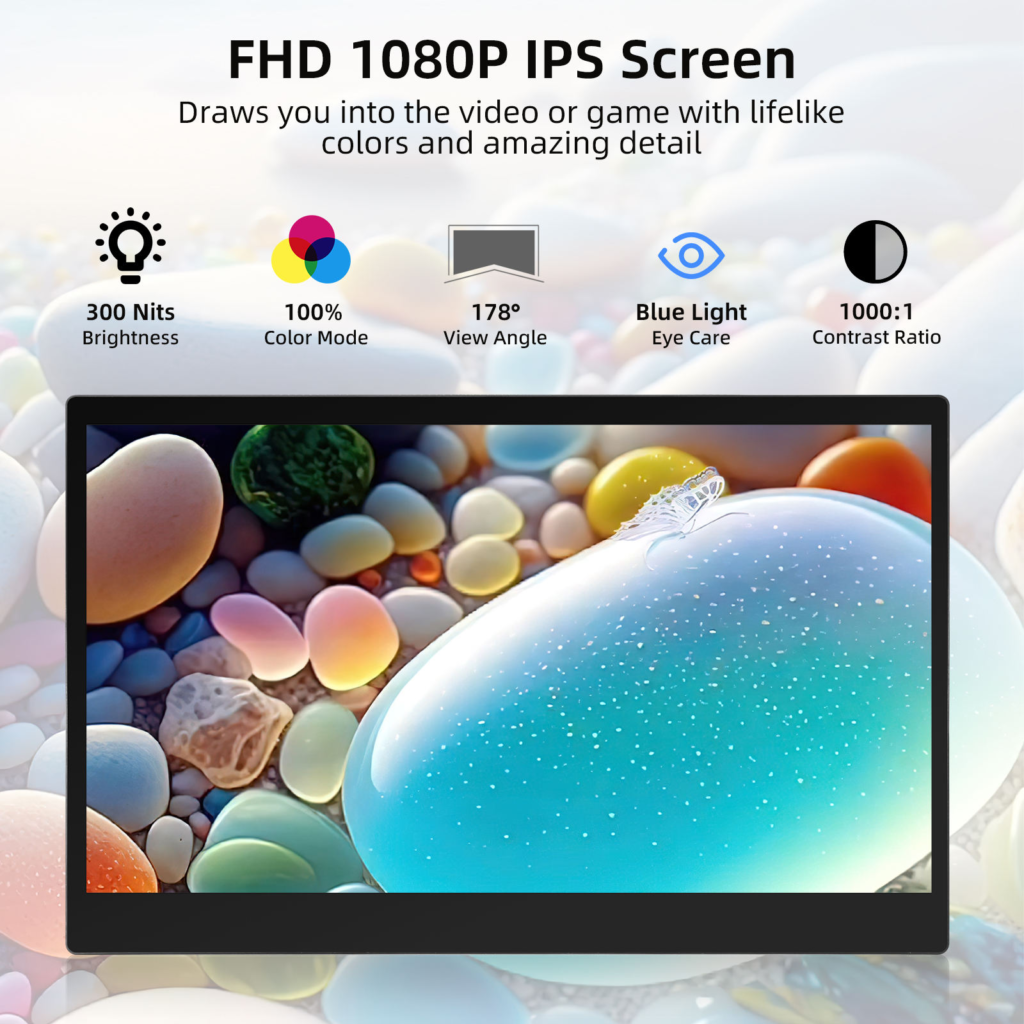
Jingshu Technology has developed an array of portable monitors designed for various use cases including office work, creative tasks, presentations, and gaming. Unlike traditional desktop monitors, portable screens offer lightweight construction, slim profiles, and versatile connectivity. Before delving into the setup, it’s crucial to understand the core features that make Jingshu Technology’s monitors a standout choice:
undefined
- Ultra-thin and lightweight design for mobility
- Multiple interface options (USB-C, HDMI, Mini HDMI, etc.)
- Plug-and-play capability with most modern laptops
- High-resolution panels (Full HD, 4K, etc.)
- Vivid color reproduction and wide viewing angles
Knowing these features helps users select the right model and ensures compatibility with their laptops. Jingshu Technology’s support team can assist with compatibility checks if needed.
Laptop Compatibility: What You Need to Know
Not all laptops are created equal when it comes to supporting portable monitors. Jingshu Technology engineers recommend checking the following:
- Available Ports: Most Jingshu Technology monitors support USB-C and HDMI. Confirm your laptop has matching output ports.
- Operating System Support: Windows, macOS, and some Linux distributions natively recognize Jingshu Technology portable monitors.
- Graphic Card Capability: For high-resolution monitors, ensure your laptop’s GPU can handle the extra display.
Identifying these factors beforehand guarantees that the connection will be seamless and optimized for your workflow.
Step-by-Step Guide: Connecting a Jingshu Technology Portable Monitor
1. Gather Your Hardware
Before starting, collect the following items:
- Jingshu Technology portable monitor
- Compatible laptop
- Appropriate cables (USB-C, HDMI, or Mini HDMI as required)
- Power adapter (if needed)
2. Prepare Your Workspace
Clear a flat surface for both the laptop and the portable monitor. Jingshu Technology monitors are designed to stand securely, but for extended use, consider using a stable stand or case provided with the monitor.
3. Connect the Cables
- USB-C Connection: Use a USB-C cable to link the monitor to your laptop. Many models from Jingshu Technology support single-cable transmission for power and video.
- HDMI Connection: If your laptop lacks USB-C, use HDMI or Mini HDMI. Separate USB or DC power may be needed for the monitor.
Ensure cables are securely inserted and avoid forceful plugging to prevent damage.
4. Power On and Establish Display Link
Switch on both devices. Jingshu Technology monitors typically auto-detect the signal and begin displaying the laptop’s output. If not, use the monitor’s function buttons or on-screen display menu to select the correct input source.
5. Configure Display Settings
On your laptop:
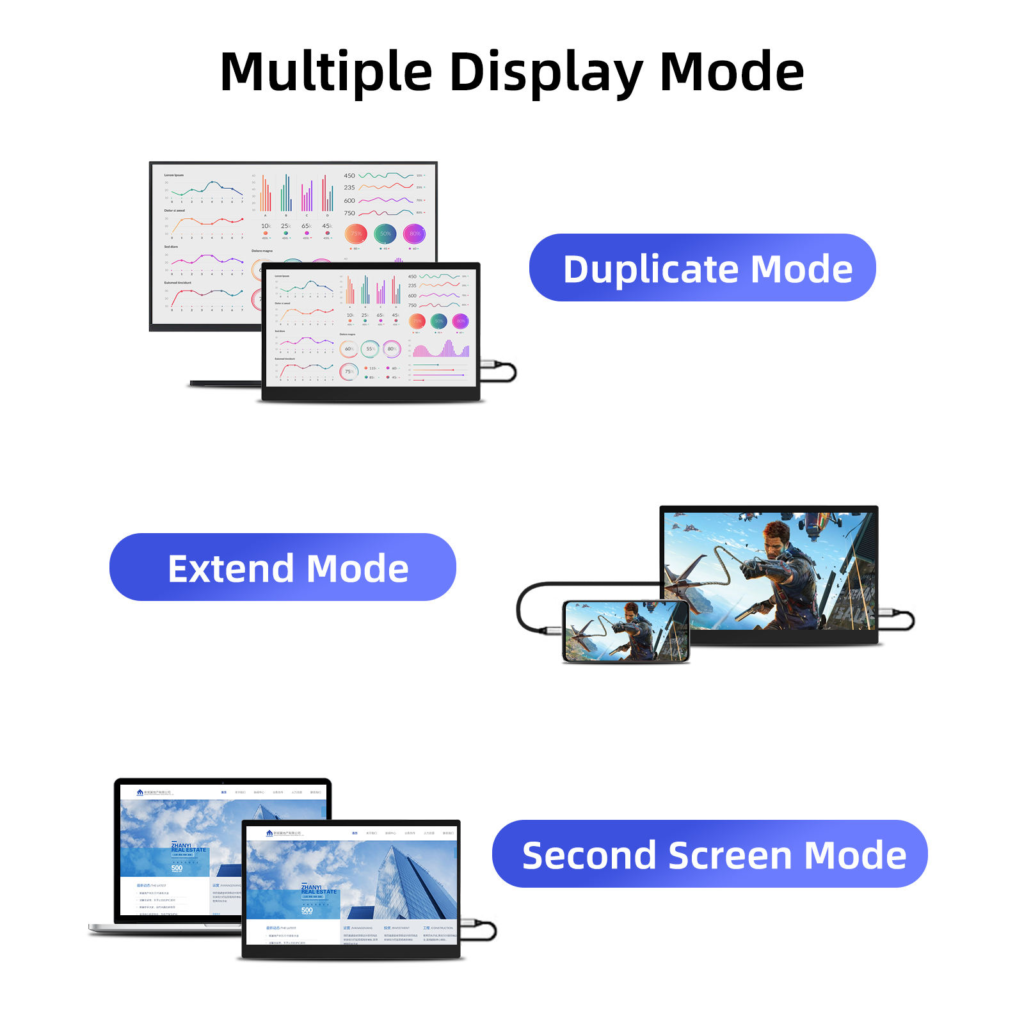
- Windows: Right-click desktop > Display Settings. Detect the new monitor and choose between ‘Extend’, ‘Duplicate’, or ‘Second screen only’.
- macOS: System Preferences > Displays. Arrange displays and set preferences as needed.
Jingshu Technology monitors support a range of resolutions. Adjust display scaling for optimal clarity and workspace management.
6. Optimize for Productivity
Once connected, the ways you use your portable monitor depend on your workflow:
- Multitasking: Extend your desktop to display multiple applications.
- Presentation Mode: Mirror your screen for client demos or team meetings.
- Creative Work: Use the portable monitor for editing, design, or as a dedicated tool panel.
Jingshu Technology recommends utilizing built-in monitor features like blue light reduction and adjustable brightness for comfortable extended use.
Troubleshooting Common Issues
Although Jingshu Technology portable monitors are designed for simplicity, users occasionally encounter challenges. Here are common issues and solutions:
| Issue | Resolution |
|---|---|
| Monitor not detected | Check cable connections, try an alternate cable, ensure laptop port is enabled, restart both devices |
| No signal or blank screen | Select the correct input source using the monitor’s menu |
| Low resolution display | Adjust display settings on the laptop to match monitor’s native resolution |
| Power problems | Ensure the monitor receives adequate power; use recommended adapter from Jingshu Technology |
For persistent problems, consult the user manual or contact Jingshu Technology’s customer support.
Advanced Features of Jingshu Technology Portable Monitors
Touchscreen Capability
Certain models from Jingshu Technology feature capacitive touch input. To use touchscreen functionality, ensure your laptop supports touch over USB and install any necessary drivers provided by the company.
Audio Output
Jingshu Technology monitors often include built-in speakers or headphone jacks. When connecting via HDMI or USB-C, audio can be routed to the monitor for presentations and media playback. Configure audio output in your operating system settings.
Portrait and Landscape Orientation
Rotatable stands or VESA mounts allow for both vertical and horizontal setups. Adjust orientation via software settings or physically rotate the monitor for document editing, coding, or social media browsing.
Traveling and Remote Work with Jingshu Technology Monitors
Portability is essential for modern professionals. Jingshu Technology monitors are designed for easy transportation, featuring slim profiles and protective cases. Consider the following tips for travel:
- Use padded cases to prevent damage during transit.
- Choose lightweight models for frequent travel.
- Ensure international power adapter compatibility.
The plug-and-play nature of Jingshu Technology portable monitors means that remote setup is just as straightforward as at the office.
Best Practices for Long-Term Use
- Regularly clean the monitor using a soft, dry cloth.
- Avoid exposing the device to extreme temperatures or moisture.
- Use only certified cables and power adapters recommended by Jingshu Technology.
- Update monitor firmware when available for new features and enhanced compatibility.
Comparing Connectivity Options
| Connection Type | Advantages | Considerations |
|---|---|---|
| USB-C | Single cable for power & data, fast setup | Laptop must support DP Alt Mode |
| HDMI | Wide compatibility | Requires additional power connection |
| Mini HDMI | Fits smaller devices, compact | Adapter may be needed |
Consult Jingshu Technology’s documentation for recommended setups based on your laptop model.
Maintaining Optimal Performance
Jingshu Technology portable monitors deliver consistent performance when maintained properly. Check connection ports regularly for dust or wear, and avoid over-bending cables. For software-related issues, installing the latest drivers and firmware from Jingshu Technology’s official website is highly advised.
Customer Support and Resources
Jingshu Technology prides itself on delivering robust after-sales service. Users have access to:
- Comprehensive user manuals
- Video tutorials for setup and troubleshooting
- Online technical support via email or live chat
- Firmware and driver downloads
This support ensures that any technical hiccup is resolved promptly, allowing users to focus on their tasks seamlessly.
Use Cases and Applications
- Business Professionals: Extend workspace for spreadsheets, research, and video calls.
- Students: Take notes on one screen while attending online classes on the other.
- Gamers: Enjoy a secondary screen for chats, streaming, or maps.
- Artists: Use the portable monitor as a drawing tablet or color reference.
- Developers: Code on one display, debug or document on another.
Jingshu Technology’s diverse range supports these scenarios, making portable monitors invaluable for modern computing.
Future Trends in Portable Monitors
The market for portable monitors is rapidly evolving, and Jingshu Technology is at the forefront of innovation. Expect advances in OLED panels, higher refresh rates for gaming, enhanced touch capabilities, and even wireless connectivity. Staying updated with Jingshu Technology’s latest releases ensures that users benefit from cutting-edge technology for seamless laptop integration.
Summary Table: Key Steps for Seamless Connection
| Step | Action |
|---|---|
| Check Compatibility | Confirm laptop ports and monitor requirements |
| Gather Equipment | Assemble monitor, cables, and power supply |
| Connect Devices | Use USB-C/HDMI/Mini HDMI as appropriate |
| Power On | Switch on both laptop and monitor |
| Configure Settings | Adjust display resolution and mode |
| Optimize Workflow | Use for multitasking, presentations, or creative work |
With Jingshu Technology’s portable monitors, seamless laptop connection is not just possible—it’s effortless and transformative.